What is Odoo ERP and what does it do ?
Odoo ERP is an open-source business management software that provides a suite of
integrated applications to manage and streamline various business processes. Its
purpose is to replace multiple separate systems with a single, comprehensive
platform that enhances efficiency, reduces costs, and improves communication across
departments.
- Integrated Applications : Odoo offers
hundreds of interconnected business apps covering a wide range of functions,
including accounting, inventory, CRM, sales, and e-commerce.
- Centralized Database : All business
data is centralized in one system, eliminating the need for manual data
transfers between different software and ensuring real-time information is
available to all users.
- Automation : The platform automates
repetitive tasks and workflows, saving time and reducing the potential for
human error.
What is the difference between Odoo Community and Odoo Enterprise ?
Odoo offers two main versions to suit different business needs and budgets
:
- Odoo Community :
- This is the free, open-source version of Odoo.
- It provides a lot of basic functionality that is sufficient for many
small and medium-sized businesses (SMEs).
- However, it does not include many advanced features, official support,
or the mobile app.
- Odoo Enterprise :
- This is the paid, commercial version of Odoo, offered as a subscription.
- It includes a full suite of advanced features, upgrades, unlimited
support, and access to the mobile app.
- It is suited for growing and larger businesses that require more robust
functionality and technical assistance.
What are Odoo apps?
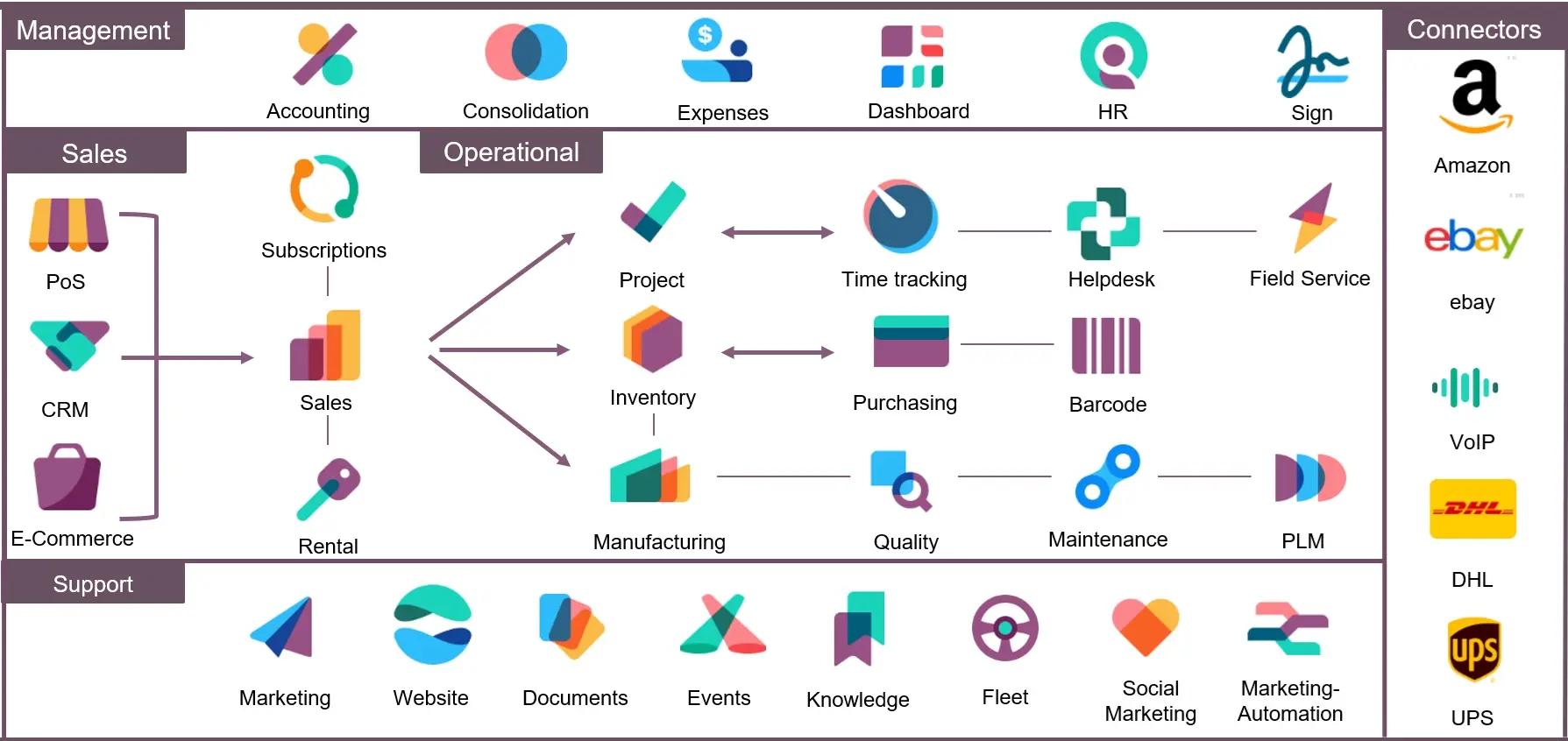
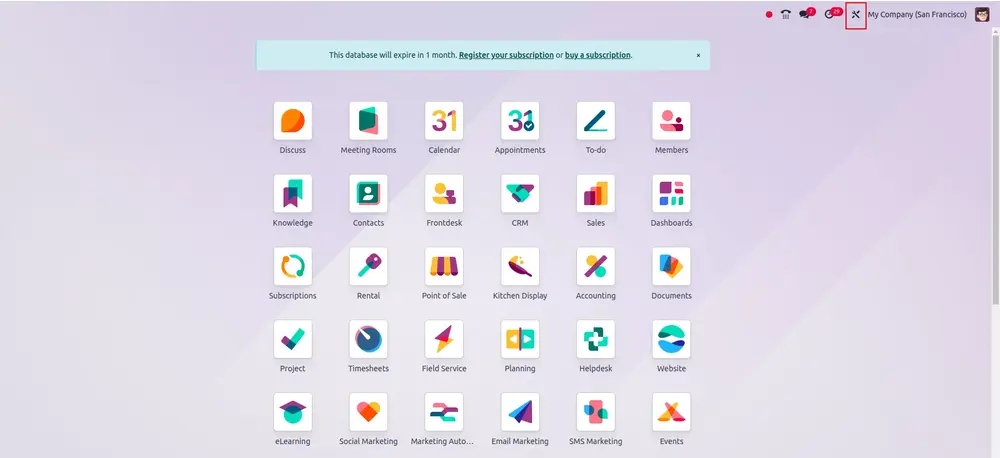
Odoo apps are modular building blocks that let you manage every part
of your business, from CRM and Accounting to Inventory, Manufacturing, and HR.
Each app handles a specific business process and can be used on its
own or together with others. Since they’re all built on the same platform, the apps
work together automatically and share data in real time.
There are 80+ official Odoo apps available as part of the Odoo
Enterprise plan.
In addition to these, there are thousands of third-party apps that
extend Odoo’s functionality for specific industries or needs.
How much does Odoo cost?
Odoo's pricing depends on the version and the number of users.
- Community Version :
- License Fee: The Community version is completely free,
with no license fees.
- Enterprise Version :
- User-Based Pricing : Pricing for the Enterprise version
is a fixed monthly or annual fee per user, regardless of how many apps
are used.
- Add-on Costs : There may be additional costs for hosting
(depending on the deployment method), optional Odoo.sh features (like
workers or storage), and professional services from an Odoo partner for
implementation, customization, and training.
Is Odoo suitable for my business size?
Yes, Odoo's modularity and different versions make it suitable for a wide range of
business sizes, from small startups to large multinational enterprises.
- For Small Businesses : The modular
structure allows a business to start with only the apps they need, keeping
initial costs low. The free Community version or the "One App Free" plan is
often a good entry point.
- For Medium Businesses : As a company
grows, it can easily add more apps and users, making the platform scalable
for evolving needs. The Enterprise version becomes more viable as
requirements become more complex.
- For Large Enterprises : Odoo's
extensive customization capabilities, robust feature set, and integration
options allow it to handle complex operations and scale to support hundreds
or thousands of users.
How does Odoo compare to other ERPs like SAP and NetSuite?
Odoo is often compared to traditional, higher-priced ERPs. The key differences lie
in cost, flexibility, and implementation.
- Cost : Odoo is significantly more
affordable, especially for SMEs, with its free version and lower per-user
subscription fees for the Enterprise version. Competitors like SAP and
NetSuite have much higher upfront and ongoing costs.
- Flexibility and Customization : Odoo’s
modular, open-source architecture offers unparalleled flexibility and
customization. Businesses can easily create or modify modules to fit unique
workflows. While other ERPs can be customized, it is often more complex,
costly, and time-consuming.
- Implementation Time : Thanks to its
modular design and simpler setup, Odoo generally has a much faster
implementation time, often taking weeks to months. Traditional ERPs like SAP
can have much longer, more extensive setup periods.
What is the Odoo implementation process?
A successful Odoo implementation involves several steps, whether you do it
in-house or with a partner.
- Analysis and Planning : Define clear
business objectives, assess needs, and select the right Odoo version and
modules.
- Configuration : Set up the selected
Odoo modules and define workflows, user permissions, and reporting
structures.
- Data Migration : Migrate clean,
relevant data from your existing systems into Odoo. This is a critical step
that requires careful planning.
- Customization : Perform necessary
customizations to tailor Odoo to your unique processes, but keep them
minimal to ensure stability during future updates.
- Testing : Conduct thorough testing
(unit, system, and user acceptance) to identify and resolve any bugs before
going live.
- Training and Go-Live : Train your
employees on the new system and launch the platform with dedicated
post-implementation support.
How long does it take to implement Odoo?
The time to implement Odoo varies. It depends on your organization’s size, processes,
and customization needs. A standard implementation can take weeks to months. We create a
detailed plan for a smooth implementation.
What are Odoo's deployment options?
Odoo offers flexibility in how and where you can host your instance.
- Odoo Online (SaaS) : Hosted directly by
Odoo on their cloud, this option provides automatic updates and managed
technical support with minimal technical overhead.
- Odoo.sh : Odoo's cloud hosting platform
for Enterprise users. It offers more flexibility and customization than Odoo
Online while still managing the server environment.
- On-Premise : Allows you to host Odoo on
your own servers. This option provides the most control over your data and
customizations but requires more technical expertise to manage.
Can I customize Odoo to fit my business needs?
Absolutely. Odoo is very customizable. You can change modules, create new ones, and add
third-party apps. Our team can help customize Odoo for your business.
Is it possible to select a specific module in implement without use other modules in
Odoo?
Yes, it is possible to select and implement specific modules in Odoo without necessarily
installing all other available modules. Odoo's modular architecture is designed to allow
businesses to choose and deploy only the functionalities they require.